
Placeholders let one message reach every prospect with their own name or company. You write {firstName} once, and each person gets their real first name at send time. Which placeholders work depends on the message mode you choose.
Which placeholders work in each mode?
| Placeholder | Human writer | AI writer |
|---|---|---|
{firstName} | ✅ Substituted | ✅ Used by the AI |
{lastName} | ✅ Substituted | ✅ Used by the AI |
{company} | ❌ Not available | ✅ AI selects the right one |
{adaptive_url} (and aliases) | ✅ Substituted | ✅ Substituted |
{{col.ColumnName}} (sheet column) | — | ✅ Available in the AI instruction editor |
Placeholders are case-insensitive. {firstName}, {FIRSTNAME}, and {firstname} all resolve to the same value. Single braces {token} and double braces {{token}} both work — the system normalises them at send time.
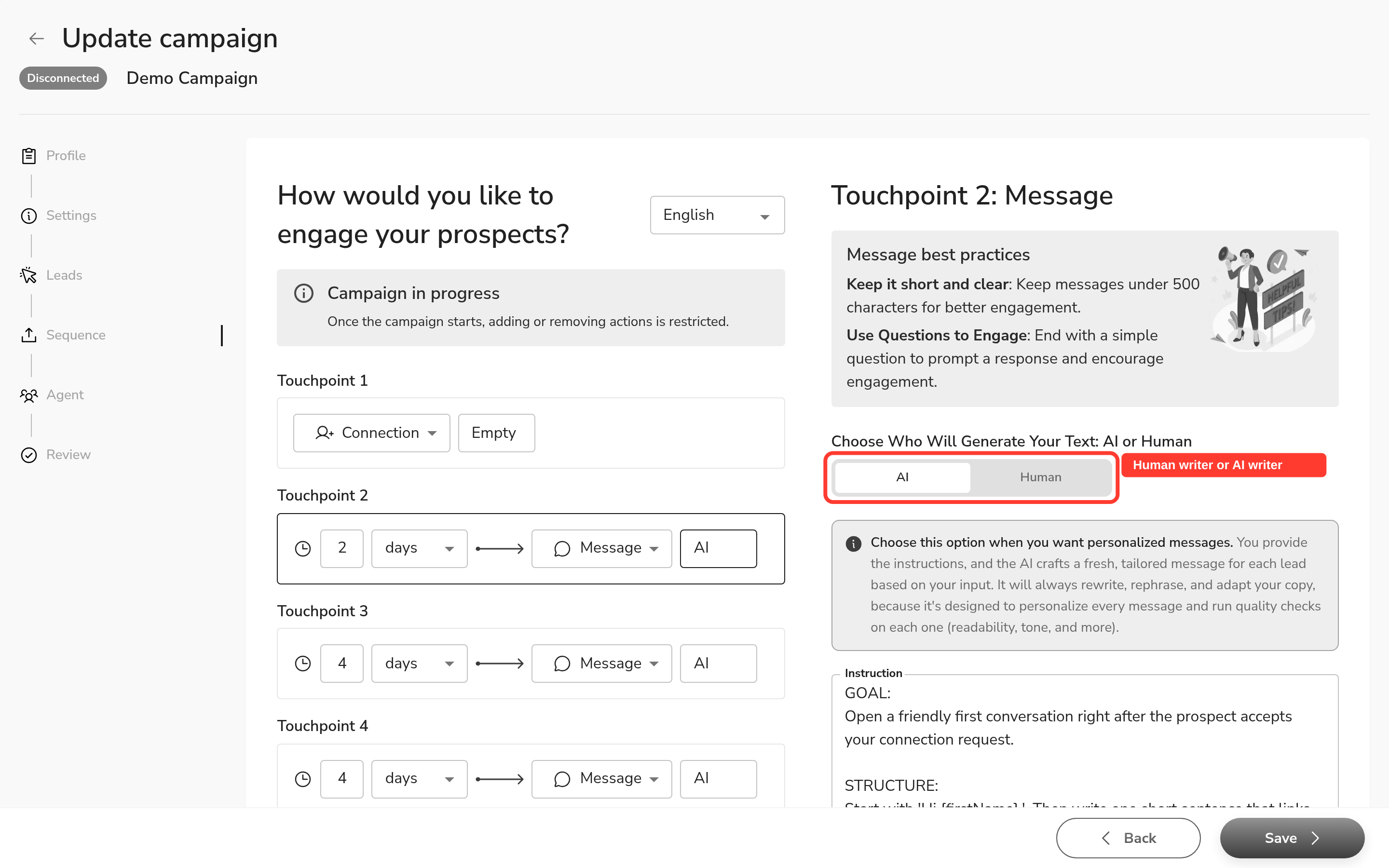
Why isn't {company} available in Human writer mode?
This is a deliberate design choice. A LinkedIn profile can carry several active companies, a former company, or no company at all. In Human writer mode, there is no AI to read the profile in context and pick the right one — so a {company} substitution would frequently produce the wrong name or leave a blank.
The AI writer handles this correctly: it reads the prospect's LinkedIn profile at send time and selects the current, relevant company. That is the right tool when you need the company name in your message.
How do I send my message exactly as I wrote it?
The only guaranteed verbatim path is the Human writer mode. It sends your copy word for word. Only {firstName}, {lastName}, and {adaptive_url} (plus its aliases) are substituted — everything else goes out as you typed it.
If you need verbatim sends AND a placeholder the Human writer does not support (like {company}), you have two options:
- Use the Human writer and write the company name into the message manually.
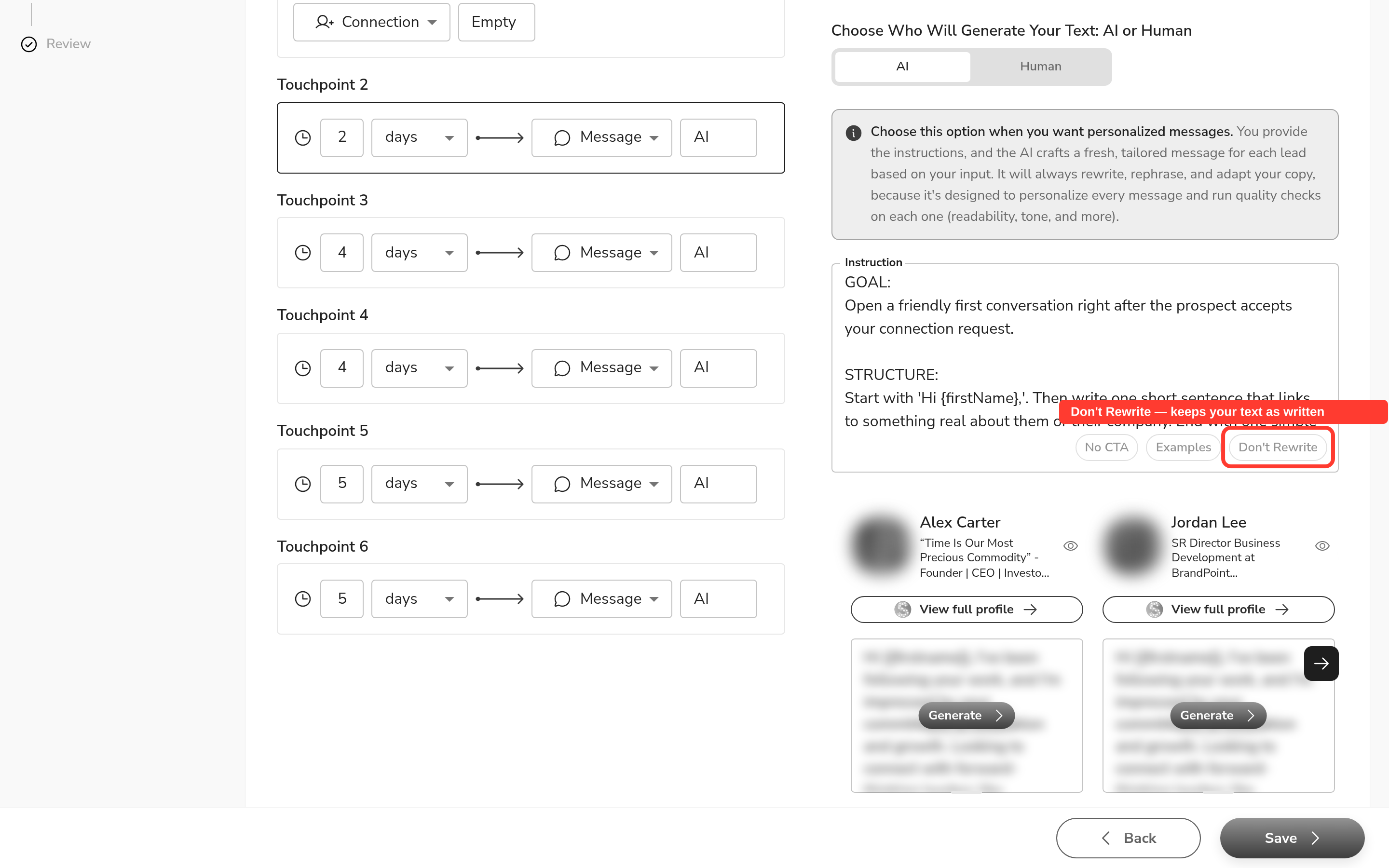
- Use the AI writer with the "Don't Rewrite" helper (or type
Send this message without any changes:at the start of your instruction). This asks the AI to keep your text — but it is a strong instruction to the AI, not a hard guarantee. The AI may still adjust wording or length.
The team recommendation: use Human writer when verbatim matters. Use AI writer + "Don't Rewrite" when you also need {company} or sheet-column personalisation, but always generate a preview first and check the output before launching.
Tip: The "Don't Rewrite" toggle in the instruction editor inserts the same
Send this message without any changes:prefix as typing it manually. There is no additional enforcement difference between them.
Using sheet columns as placeholders
If you have imported a Google Sheet into your campaign, the AI writer instruction editor shows a column picker. Select a column to insert {{col.ColumnName}} into your instruction. The system substitutes each lead's value from that column at send time. If the column name does not match, the token prints as literal text.
Sheet-column tokens are available in the AI writer instruction editor. Do not use {{col.*}} tokens in Human writer mode messages.

What happens when a placeholder cannot be resolved?
An unresolved placeholder is treated as a quality failure and the message does not ship. This means a prospect never receives Hi {firstName}. The quality checks run before every send and catch broken placeholders automatically.
FAQ
Why doesn't {company} work in my Human message, even though I tried {company}, {{company}}, {companyName}, and {company_name}?
{company} is not available in Human writer mode by design. A LinkedIn profile can carry several active companies or none, so the system cannot reliably pick the right one without AI context. Use the AI writer mode instead — it reads each prospect's profile and selects the correct company automatically.
How do I send my message exactly as I wrote it, without the AI rewriting or shortening it?
The only guaranteed verbatim path is Human writer mode. It sends your copy word for word. If you use the AI writer with "Don't Rewrite" (or the Send this message without any changes: prefix), the AI tries to keep your text — but it may still adjust wording. For strict verbatim, choose Human writer.
In the message preview, {company} still shows as literal text — is that a bug?
No, it is by design. The preview runs before any real prospect data is loaded, so there is no company to substitute. {firstName} can appear in the preview because the UI substitutes a sample name for display. {company} has no equivalent sample value in Human mode.
I told the AI writer "do not rewrite" with explicit instructions, but it still rewrote my message. Why?
The "Don't Rewrite" instruction is a strong prompt to the AI, not a hard guarantee. The AI writer is built to personalise each message and may still adjust wording or length. If you need the message sent exactly as written, switch to Human writer mode.
My campaign step is set to "Generate by AI" — does that mean my text will always get rewritten?
Yes. "Generate by AI" means the AI writer is active and will personalise your message for each prospect. If you want your text sent as written, set the step to Human writer mode instead.